Princess Mermaid Phone
- 3.9
- Rating
- 5.00M
- Installs
- Free
- Price

 Analysis by App-foxy
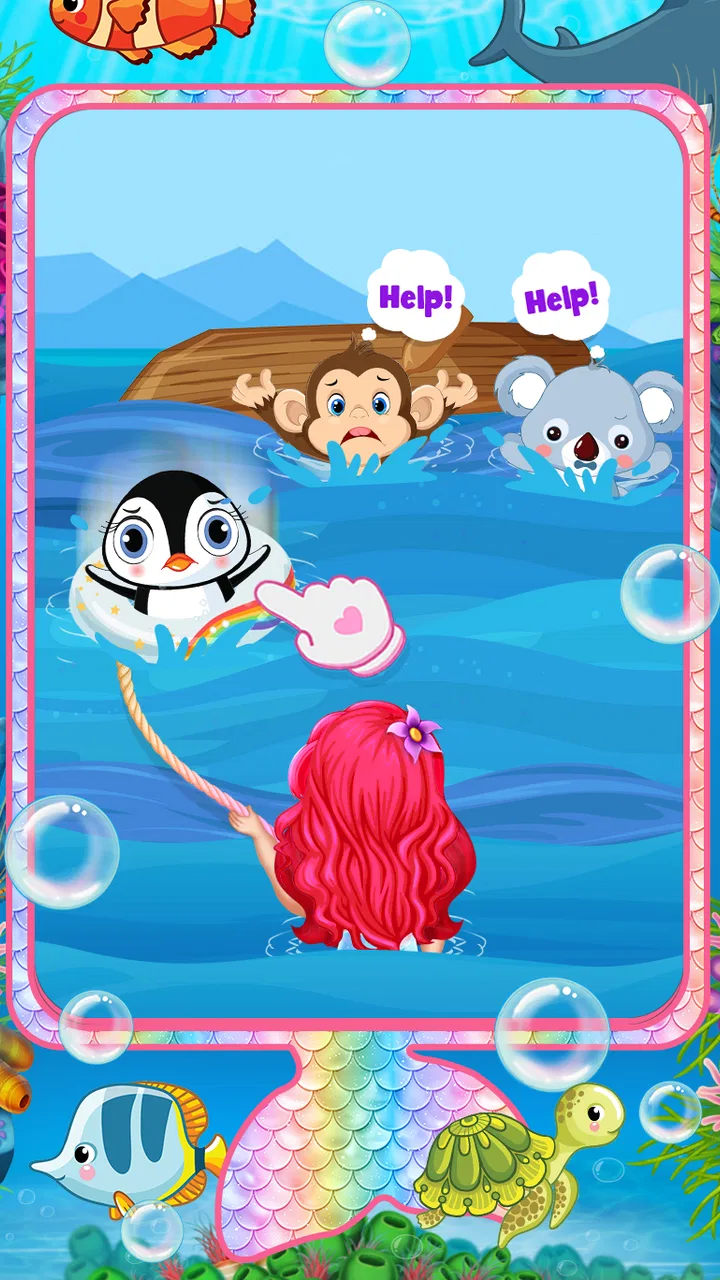
Princess Mermaid Phone is a free educational game from FunCool Studios that turns a phone screen into a small mermaid-princess play space. I approached it as something for a young child rather than as a deep adventure game, and that distinction matters: the appeal is in the colorful pretend-play setting, simple interactions, and familiar phone-style presentation. The store summary describes playing in the world of a mermaid princess, while the short description presents it as a princess mermaid phone. After spending time with it, I see it as a gentle digital toy with light learning value, not a replacement for a structured educational course.
That makes it easy to recommend in the right situation. If a child enjoys princess stories, mermaids, and tapping through bright scenes, this offers an approachable way to explore those interests. If you are looking for carefully staged lessons, measurable progress, or a substantial story campaign, you will probably want a different kind of educational game. Its strongest quality is accessibility, not depth.
How the mermaid-phone experience works in everyday use
The baseline workflow is uncomplicated. A child opens the game, enters its mermaid-themed world, and explores by tapping on the available elements. The phone concept helps because it gives the experience a familiar frame: instead of asking a young player to understand a complicated map or menu system, it presents play as interacting with a princess’s phone. That framing can make the first few minutes feel less intimidating for children who are still learning how game interfaces work.
You May Also Like

 Blood Strike: 2.5 Anniversary
Blood Strike’s Loadouts Turn Every Drop Into a Tactical Gamble
A close look at Blood Strike’s custom loadouts: how fast access to signature weapons reshapes its battle royale rhythm, rewards preparation, and narrows the gap between fights.

 Pandora - Music & Podcasts
Pandora’s Music Is Easy to Start, but Harder to Recover
Pandora’s strength is its low-effort path from a seed to a station. Its weak spot is how much confidence it asks you to place in connection, setup, and quiet recovery.

 8 Ball Pool
 Is Built on Rivalries, Rematches, and Routine
A close look at the rivalries, rematches, shared routines, and unanswered safety questions that turn a quick pool match into a persistent mobile community.

 Samsung Music
’s Quiet Strength Is Playing What You Already Own
Its reach comes less from spectacle than from dependable access to a personal library. That simplicity is both the app’s strongest retention engine and its ceiling.

 AccuWeather: Weather Radar
AccuWeather Review: A Quick, Clear Forecast for Everyday Decisions
For everyday plans, the best forecast is the one you can understand quickly. AccuWeather makes rain timing, radar, and local conditions easy to act on, with a few trade-offs.

 Hill Climb Racing
Why Hill Climb Racing Still Turns Crashes Into One More Run
A tiny car, a bumpy hill and one more upgrade: Hill Climb Racing keeps resurfacing because its simple chaos makes every near-miss feel personal.
More From Our News Desk



I found that the best use is a short, supervised session. A parent can sit nearby, let the child choose what to explore, and ask simple questions about colors, characters, objects, or the order of actions. This turns passive tapping into a small conversation. For example, after the child opens a scene, you can ask what changed, which item they noticed first, or what they think the mermaid princess should do next. The game supplies the theme; the adult supplies the language and reasoning practice.
That is also where its educational value becomes clearer. It is not the sort of title I would use to teach a specific school topic on its own. Instead, it can support recognition, attention, basic decision-making, and imaginative play. A child may practice noticing differences between objects or remembering where an interactive element appeared. Those are modest skills, but they are more realistic expectations than expecting formal reading or mathematics instruction from the experience.
The game is rated for Everyone, which fits its broad, family-friendly presentation. I would still preview it before handing over a device, especially if the child is very young. An age rating can tell you the intended audience, but it does not replace checking whether the pace, visual style, and interaction model suit one particular child. Some children will enjoy the freedom to explore, while others may quickly ask what they are supposed to do next.
A realistic everyday scenario is a short waiting period: a child is sitting with a parent before an appointment, or needs a calm activity while a meal is being prepared. In that setting, the game works better than a complex adventure because it is easy to start and stop. I would set a clear time boundary before opening it, then use the final minute to ask the child to describe what they discovered. That small routine keeps the activity from becoming endless, unfocused screen time.
What to check before giving it to a child
The game is free to download, but it includes in-app purchases ranging from four dollars to forty dollars per item. That is the most important practical detail for families. I would not leave a young child alone with an unlocked payment method. The safest habit is to review the device’s purchase controls first, then let the child play only after those controls are in place. This is not a criticism unique to mermaid games; it is simply sensible whenever a free children’s title offers optional purchases.
I also recommend checking the sound level and notifications before a session. A child-focused game can feel much more exciting when audio is loud, but that does not always suit a quiet room, a car journey, or a shared family space. Turning down the device before play avoids interruptions and makes the session easier to end. If the phone is being used by more than one person, check that the child is not accidentally continuing another user’s activity or changing unrelated device settings.
On Android, the minimum operating-system requirement is Android 6.0. The current version is 1.6.13, so I would update it before judging the experience, particularly if the app has been sitting on an older device for a while. Older phones may also make taps feel less responsive than they do on newer hardware. When a child says that “nothing happened,” the problem may be a missed touch or a slow device rather than a confusing game mechanic.
There is a useful preparation trick here: open the game once yourself, without the child beside you, and identify the natural stopping point. You can then guide the first session instead of interrupting it repeatedly to investigate menus or purchases. This also helps you decide whether the game is suitable for independent play or whether it needs an adult nearby. I prefer this approach to handing over a device and hoping the interface explains itself.
Settings and repeatable habits that make sessions smoother
Experienced use is less about hidden options and more about creating a predictable routine. Before play, I check the device volume, purchase restrictions, battery level, and whether the phone is in a mode that prevents distracting notifications. These are simple steps, but they matter more here than elaborate configuration because the game is designed for quick, accessible interaction rather than technical customization.
I would also keep the first session deliberately short. A child can learn the basic rhythm without becoming tired or frustrated, and you get a better sense of whether the mermaid-phone format holds their attention. If the child enjoys it, repeat the same opening routine on later days: start together, allow exploration, then finish with a brief conversation. Consistency gives the game more educational value than repeatedly opening it with no purpose.
One useful habit is to let the child lead while the adult avoids tapping everything first. Young players often need a few seconds to notice what is interactive. If an adult rushes in, the child may learn to wait for help rather than experiment. I found that a quiet prompt such as “What would you like to try?” works better than giving a sequence of instructions. The game’s simplicity leaves room for this kind of guided independence.
Another good pattern is to connect the digital theme with offline play. After a session, a child might draw a mermaid phone, invent a message from the princess, or describe a new underwater room. This does not claim that the app contains a particular drawing tool or writing lesson; it uses the app as a starting point for activities away from the screen. That is especially valuable when the child likes the theme more than the actual interaction.
Parents should also watch for repetition. Repeating familiar actions can be comforting and can support memory, but it can become dull if the child is only tapping without noticing anything. I would change the question rather than forcing a new game: ask the child to find something they missed, explain a choice, or remember the order of two actions. If those prompts no longer work, it is probably time to close the app and move on.
Faster patterns for children who already understand it
Once a child understands the basic phone-style layout, the fastest approach is to scan the screen before tapping. Encourage them to look for likely interactive elements, choose one, and wait for the response. This simple scan-and-check habit reduces random tapping and turns exploration into a small problem-solving loop. It is a better long-term pattern than showing the child every action yourself.
For younger players, I would use a “one choice at a time” rhythm. Ask them to choose the next action, let the game respond, and then pause. This prevents the screen from becoming a blur of taps and gives the child time to connect an action with its result. For older children within the Everyone audience, you can gradually remove the questions and ask them to explain their choices afterward.
The mermaid-princess theme is particularly useful for pretend-play prompts. Instead of treating the game as a checklist, invite the child to create a small story around what they see. What is the princess doing? What might happen next? Which object belongs in an underwater setting? These questions add language and imagination without pretending that the app itself delivers a full storytelling curriculum.
I would not encourage speed for its own sake. Faster tapping is not automatically better, and a child who rushes may miss the visual details that make the experience worthwhile. The more useful goal is confident navigation: recognizing the familiar flow, making a choice without constant adult help, and knowing when to ask for assistance. That is a practical form of digital literacy for a young user.
There is also a trade-off between using the game on a personal phone and on a shared family device. A personal device may be easier for the child to access, but it increases the importance of purchase controls and time boundaries. A shared device naturally creates more supervision, though it can make sessions less spontaneous. I would choose the shared option for a first introduction and only consider more independent access after observing how the child handles the game.
Where the experience reaches its limits
The biggest limitation is that the educational label should be interpreted broadly. This is an educationally oriented game, but I would not rely on it for systematic teaching. It does not take the place of a reading app with clear progression, a mathematics game with measurable exercises, or a classroom activity with defined goals. Its learning comes mainly from exploration, attention, conversation, and pretend play.
It may also feel too light for children who want a strong sense of progression. Players accustomed to adventures with missions, collections, difficult puzzles, or long stories may finish their initial curiosity quickly. The phone presentation is approachable, but that same simplicity can make the experience feel limited once the novelty of the mermaid setting wears off.
Another limitation is the possibility of adult involvement becoming necessary. A child who cannot read menus or understand what to try next may need help, and that is not a flaw for a shared family activity. It is a drawback if you specifically want a game that occupies a child independently while providing substantial learning. In that case, a more structured title with explicit instructions and gradual lessons would be a better choice.
The purchase range also changes how I evaluate the free entry point. The game can be tried without paying, which lowers the barrier for families who are simply testing the theme. However, the presence of optional purchases means the free experience should be assessed on its own rather than assuming that every appealing item or activity is included. I would decide in advance whether spending is off-limits, permitted only with an adult, or something to consider later.
Its broad age rating should not be confused with universal suitability. A child who dislikes princess themes, mermaids, or open-ended tapping will not become engaged just because the game is simple. Likewise, children who need accessibility accommodations may require a separate test on the particular device. Responsiveness, text size, audio, and visual clarity can vary in practical use, so observing the child matters more than relying on the label alone.
How it compares with more structured alternatives
Compared with a standard educational lesson app, Princess Mermaid Phone is more relaxed and imaginative. A lesson-focused alternative is usually the better option when you want a child to practice one clearly defined skill and show steady progression. This game is better when the goal is a low-pressure activity that blends digital exploration with pretend play.
Compared with a conventional princess adventure, it is likely to feel less demanding and easier to introduce. That can be a strength for a first-time player or a child who becomes frustrated by complex controls. The trade-off is that an adventure game may offer more story, challenge, and reasons to return. I would choose the mermaid-phone format for accessibility and choose the adventure format when sustained engagement is the priority.
Compared with open-ended creative apps, this title provides a more focused theme but less freedom. A drawing or building app may support longer creative projects, while this game gives the child a ready-made mermaid world to explore. Neither is automatically better: the right choice depends on whether the child wants to discover prepared interactions or create something from scratch.
Its audience also explains why the game has attracted a substantial number of installs, with more than five million across its availability. That reach suggests the concept is easy for many families to understand, but popularity does not guarantee that it will match every child’s interests. The average rating is 3.9 from around two thousand ratings, with twenty-two written reviews shown, so I would treat the public response as mixed but useful context rather than a final verdict.
My verdict after settling into the right routine
I see Princess Mermaid Phone as a pleasant, accessible choice for young children who enjoy mermaid and princess themes and benefit from gentle, supervised exploration. FunCool Studios has kept the central idea easy to grasp: a pretend phone inside a colorful mermaid world. That simplicity is exactly why it can work during a short waiting period or as a shared parent-and-child activity.
I would recommend installing it when you want a free starting point, a calm themed distraction, or a way to encourage conversation and imaginative play around a device. I would not choose it as the main educational tool for a child who needs formal lessons, visible skill progression, or challenging gameplay. In those cases, a specialized learning app or a richer adventure will serve the purpose better.
My practical recommendation is to begin with one adult-led session, review purchase controls, and observe whether the child explores thoughtfully or simply taps until the novelty fades. Keep the device settings comfortable, use short repeatable sessions, and turn the game into a springboard for offline questions or creative play. The best results come from treating it as a shared digital toy, not as a complete course.
For families who understand that trade-off, the free price and Everyone rating make it easy to try. Just remember that optional purchases run from four dollars to forty dollars per item, and that the current version is 1.6.13 for devices running Android 6.0 or later. With sensible boundaries and realistic expectations, this mermaid-themed game earns a place in a child’s rotation, especially when the aim is friendly exploration rather than mastery of a school subject.
FAQs for Princess Mermaid Phone
01What is Princess Mermaid Phone, and what can children do in the app?
Princess Mermaid Phone is a colorful pretend-play game designed around a magical mermaid smartphone. Children can tap through playful activities, interact with characters, explore themed screens, and enjoy simple mini-games. The experience focuses on imaginative play rather than complex challenges, making it suitable for younger users who enjoy princesses, mermaids, music, colors, and interactive touch-based activities.
02Is Princess Mermaid Phone suitable for young children?
The app is aimed primarily at children who enjoy casual, easy-to-understand games, but parents should still check the store listing for the current age recommendation before downloading. Its controls are generally simple, with large visual buttons and straightforward interactions. Younger children may need help at first, especially if the game includes menus, advertisements, purchases, or links to other applications.
03Does Princess Mermaid Phone require an internet connection?
Basic gameplay may work without a constant internet connection, depending on the version installed and the device being used. However, an internet connection could be required for downloading the app, displaying advertisements, updating content, restoring purchases, or opening external links. For a more controlled experience, parents may want to test the game offline and review its permissions before allowing a child to play.
04Are there advertisements or in-app purchases in Princess Mermaid Phone?
Parents should carefully review the official Google Play or App Store listing because advertising and purchase options can vary between versions, regions, and updates. Some free children’s games display third-party advertisements or include optional paid content. Before handing over the device, enable parental controls, disable unauthorized purchases, and check whether the app provides settings for removing ads or limiting external links.
05Is Princess Mermaid Phone safe to download on Android and iPhone?
The safest way to install Princess Mermaid Phone is through the official Google Play Store for Android or the Apple App Store for iPhone and iPad. Avoid modified APK files and unofficial download websites, since they may contain unwanted software or altered content. Before installing, confirm the developer name, recent update information, requested permissions, privacy details, and user reviews to make a more informed decision.
Pros
- Colorful underwater-themed interface appeals to young children.
- Simple controls make it easy for preschoolers to explore independently.
- Includes playful character interactions and imaginative role-play activities.
- Bright animations and sounds help maintain children's attention.
- Suitable for short
- casual play sessions without complex objectives.
Cons
- Gameplay may become repetitive after children discover the main activities.
- Some features may be limited unless additional content is unlocked.
- Frequent sounds and animations can be distracting in quiet environments.
- The app offers little challenge for older children.
- Parental supervision is recommended because of possible in-app purchases or ads.

Princess Mermaid Phone
Gallery